This is the actual product.
Not mockups — these are screens from a running instance, seeded with the kind of work a property team actually logs.
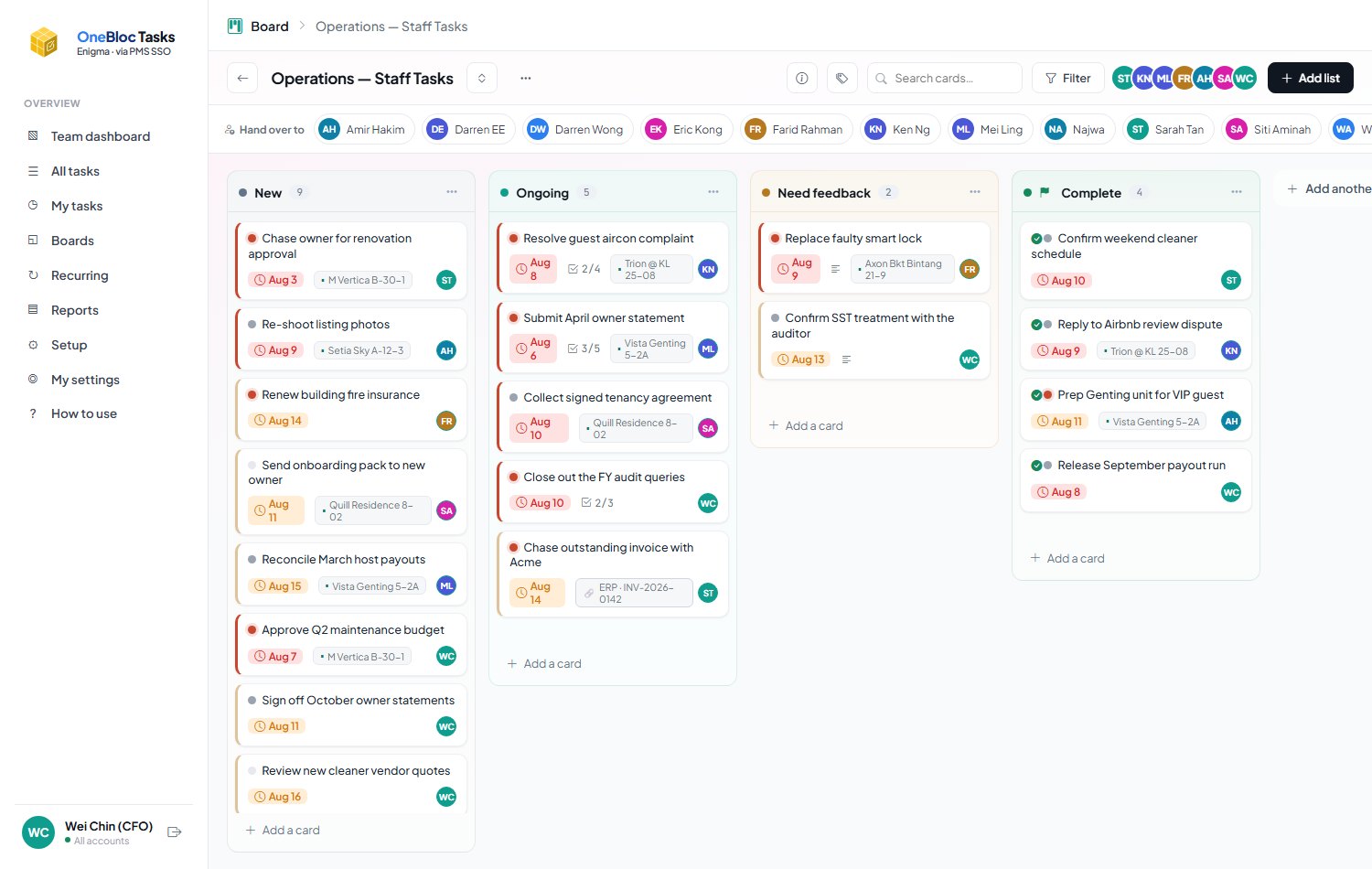
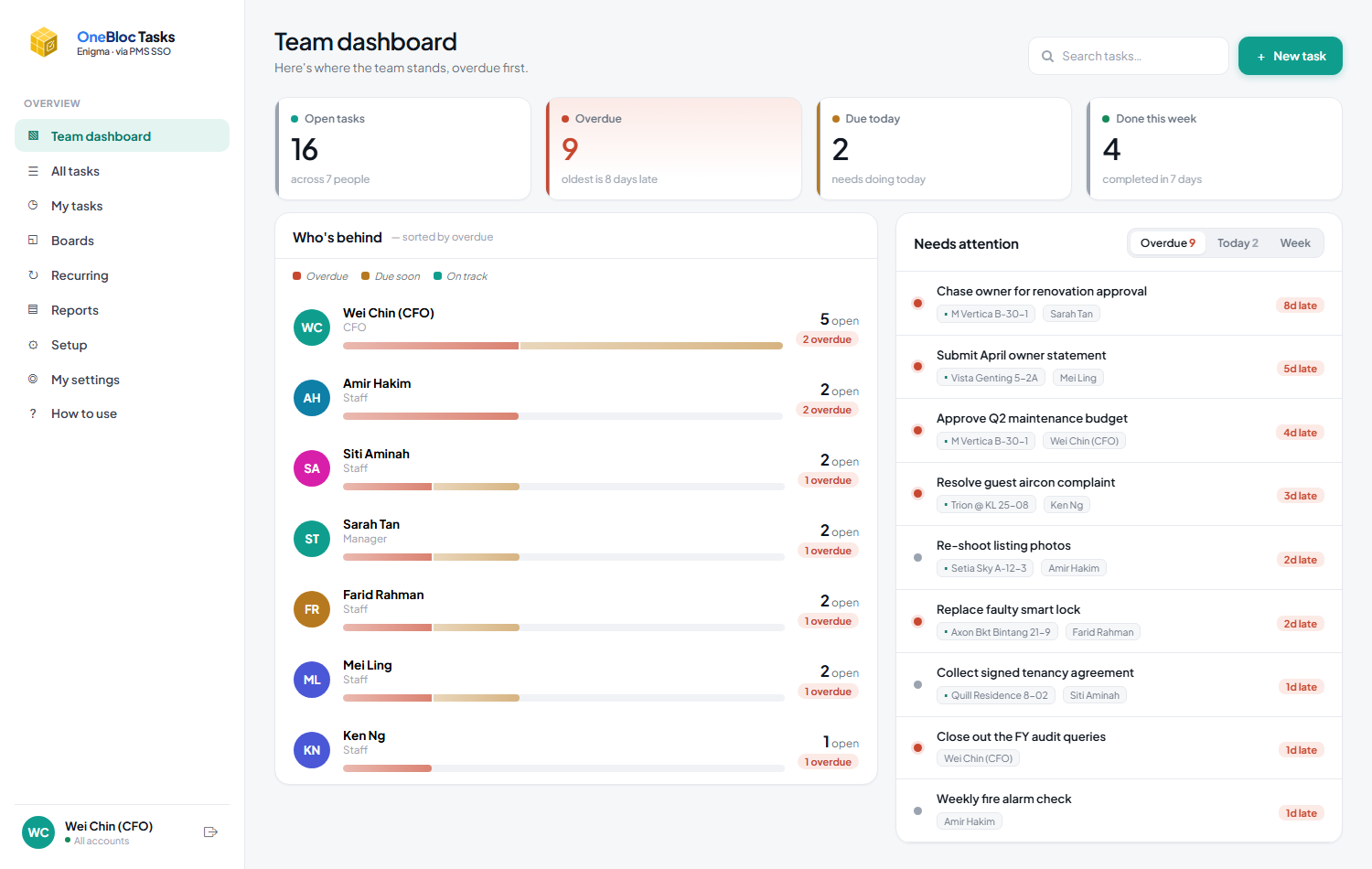
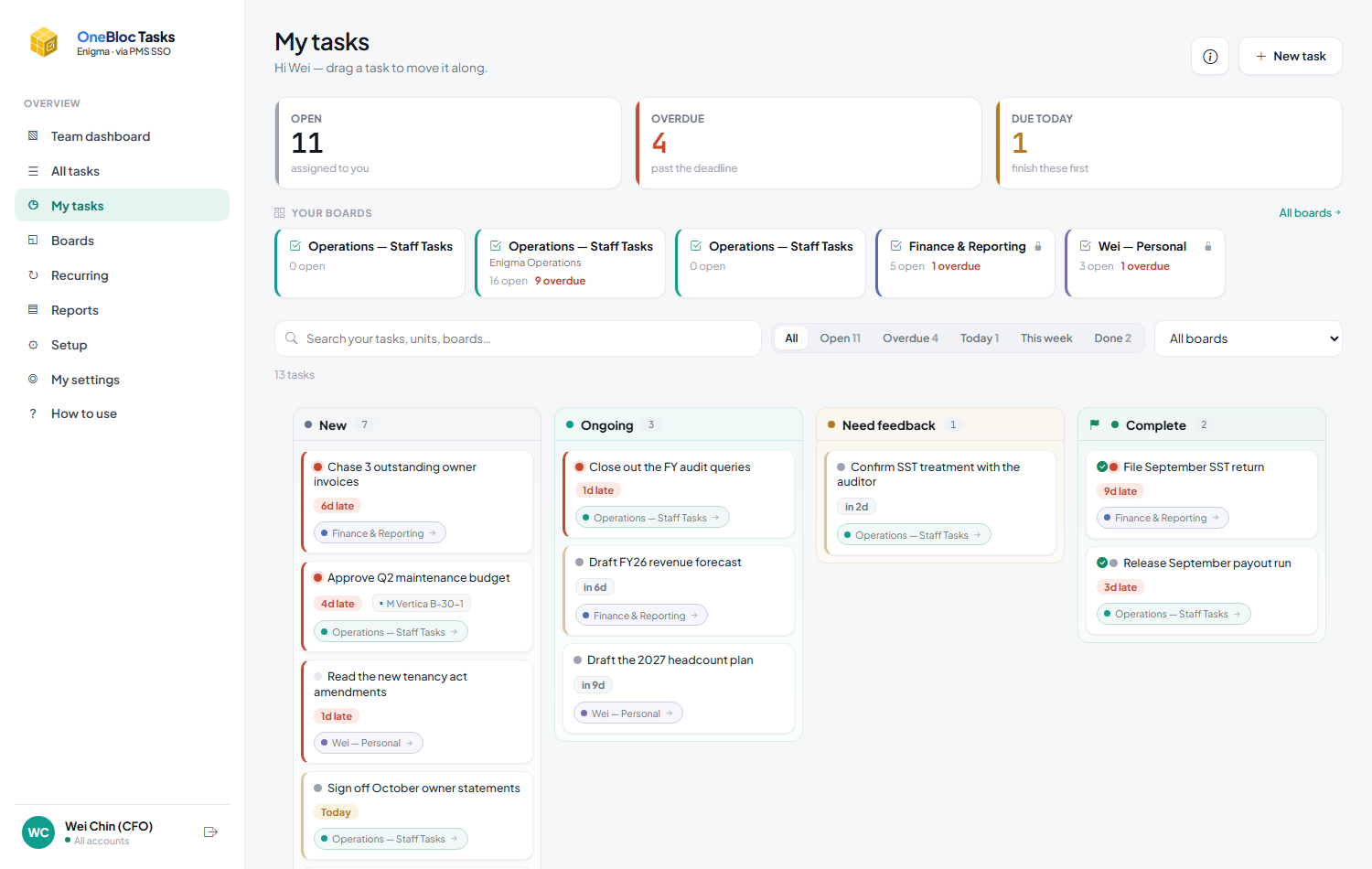
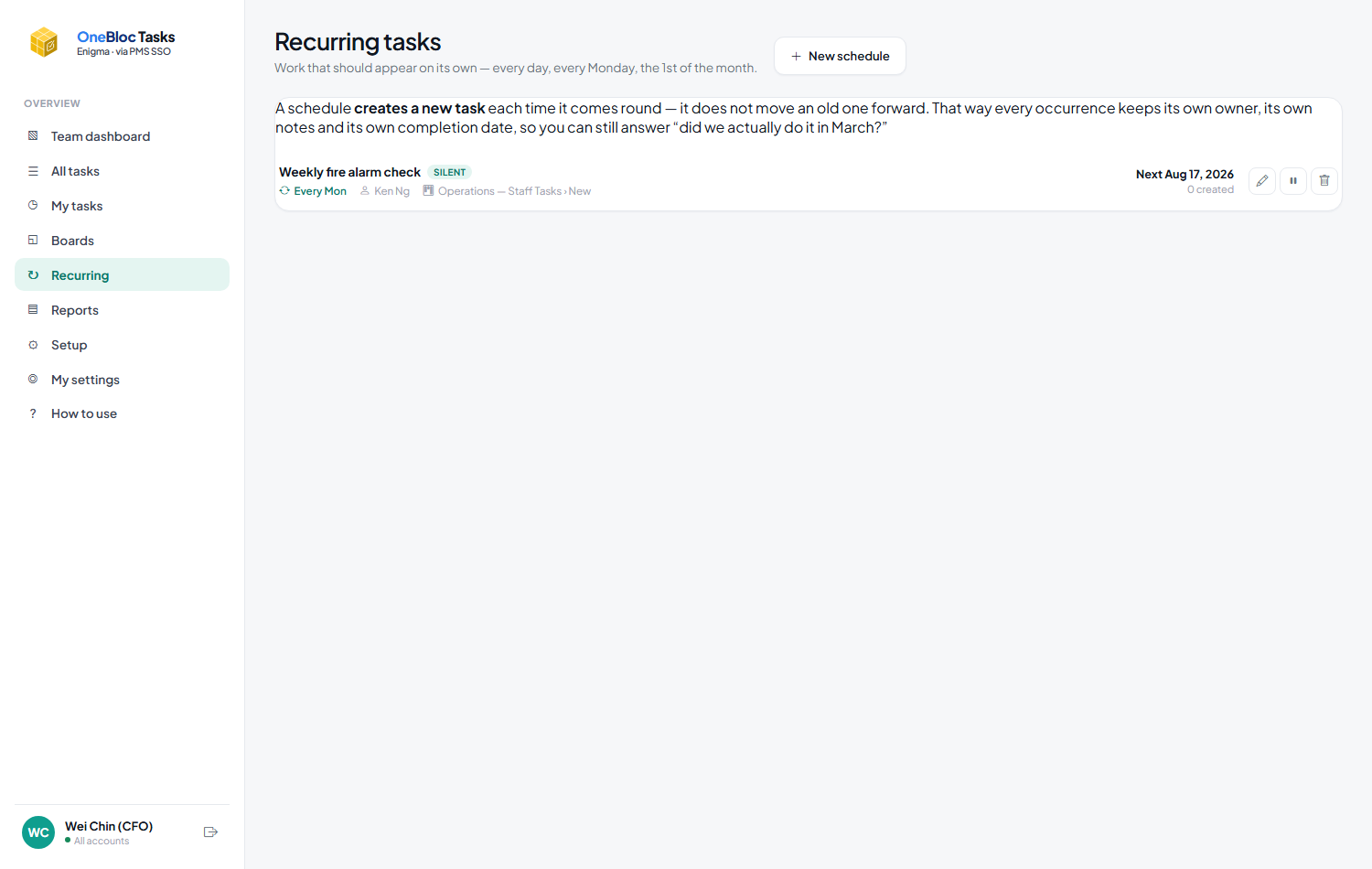
Every operation runs on things somebody said they'd do. Tasks turns “someone should look at that” into a job with one owner and a date — raised from the page you're already on, and chased without anybody having to remember.
Part of the OneBloc suite. Signs in from your PMS or through OneBloc Connect — nothing new for staff to remember.
That sounds obvious and it is the whole product. Most task tools let you create work nobody owns and nothing is due — which is how a list becomes a graveyard people stop opening. Tasks won't let you.
Other people can be on a task and get told about it, but it counts against exactly one person's name. A task owned by four people is a task nobody chases.
Required, not optional. Undated work is invisible work — it never appears in a “what's late” list because it can never be late.
A task can name the unit or the whole building. That's what makes “what's outstanding at Setia Sky?” a question with an answer.
A tick icon in the PMS opens a two-field form in a new tab, with the unit already attached and your place in the PMS untouched behind it.
Columns you name yourself. Drag a card to the finish line and it's done — the finish line is a flag you set, not a column called “Done”, so renaming things never breaks the counts.
Email and WhatsApp, once, when it's assigned to them. Not a notification per keystroke.
What of yours is late and what's due tomorrow — a single summary per person. Eleven separate alerts is how somebody mutes the channel, and then the messages that matter stop landing too.
A team dashboard ordered by what's late, and reports over time. Staff see their own work and nothing else.
Not mockups — these are screens from a running instance, seeded with the kind of work a property team actually logs.
The reason a tracker dies is that logging something is more effort than remembering it. So the job of this half of the product is to make raising a task cost almost nothing.
Staff live on WhatsApp, so that's where an assignment lands. Both channels, one message, and nothing at all until the owner has actually been given something.
Ask an assistant “how did we handle this before?” and it answers from completed tasks at that building — the steps ticked and the notes staff wrote, each linked to a card you can open and check.
Add it to the home screen and it opens like an app. You stay signed in for 30 days, and you can issue yourself a link for a new phone without asking anyone.
Four situations every property operation has. None of them is a new problem — the difference is only whether the follow-up survives the day it was mentioned.
No. They sign in from the PMS tile they already use, or through OneBloc Connect. Tasks mirrors the staff list — nobody registers themselves, and there is no separate directory to keep in step.
No. Staff see their own tasks and their team's boards. Managers see their account's dashboard. Someone with all-accounts access sees every operator account. A personal board is reachable only by the person who owns it — not by their manager, not by anyone.
It keeps creating them, up to a limit you set, then stops and reports itself as falling behind. Silently stacking thirty copies would just be noise nobody reads; stopping is something a person notices.
It's a normal OneBloc web app against your existing database, deployed like the rest of the suite. Notifications reuse your own mail account and the OneBloc Dispatch WhatsApp sender.
Then you already know the problem — the sheet is accurate on the day it's written. The difference here is that the task chases the person, rather than a person having to open the sheet to find out.
Tasks is part of the OneBloc suite — same sign-in, same look, same place your other operations already live.